> ## Documentation Index
> Fetch the complete documentation index at: https://siderolabs-fe86397c-config-evolution.mintlify.site/llms.txt
> Use this file to discover all available pages before exploring further.
# Configure Keycloak for Omni
> Steps to integrate Keycloak with Omni using SAML authentication.
1. Log in to Keycloak.
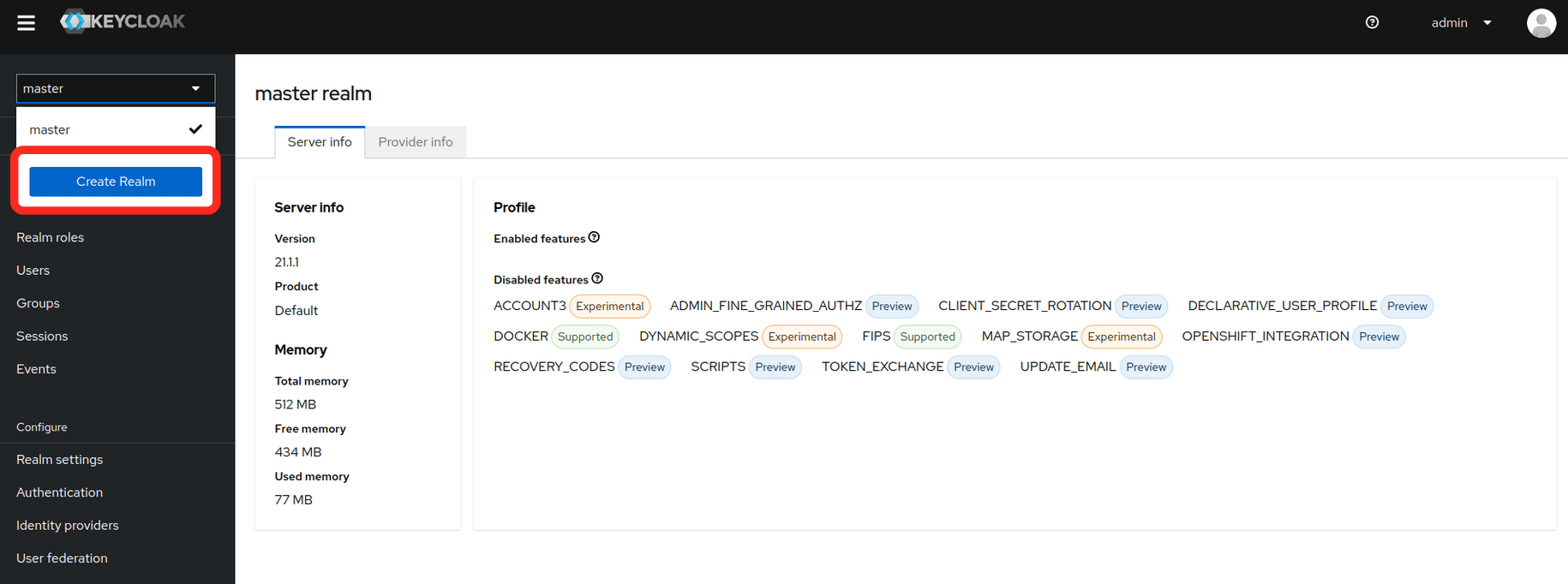
2. Create a realm.
* In the upper left corner of the page, select the dropdown where it says **master**
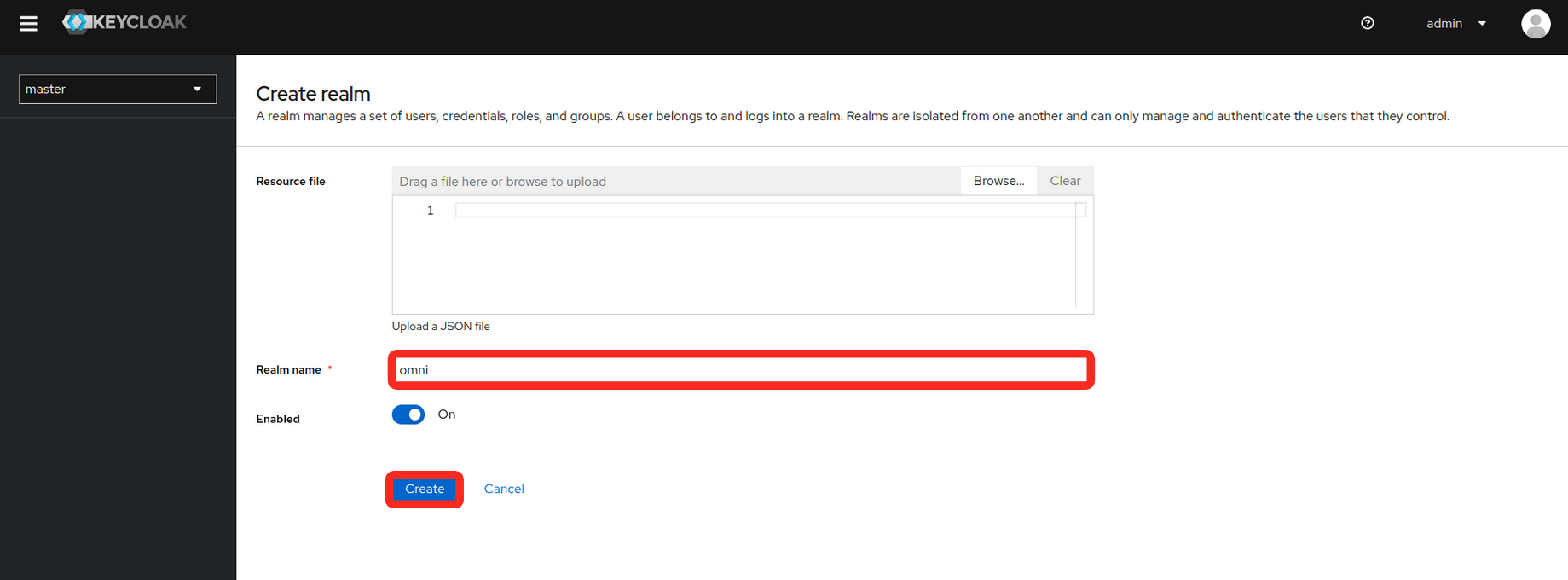
 * Fill in the **realm name** and select **create**
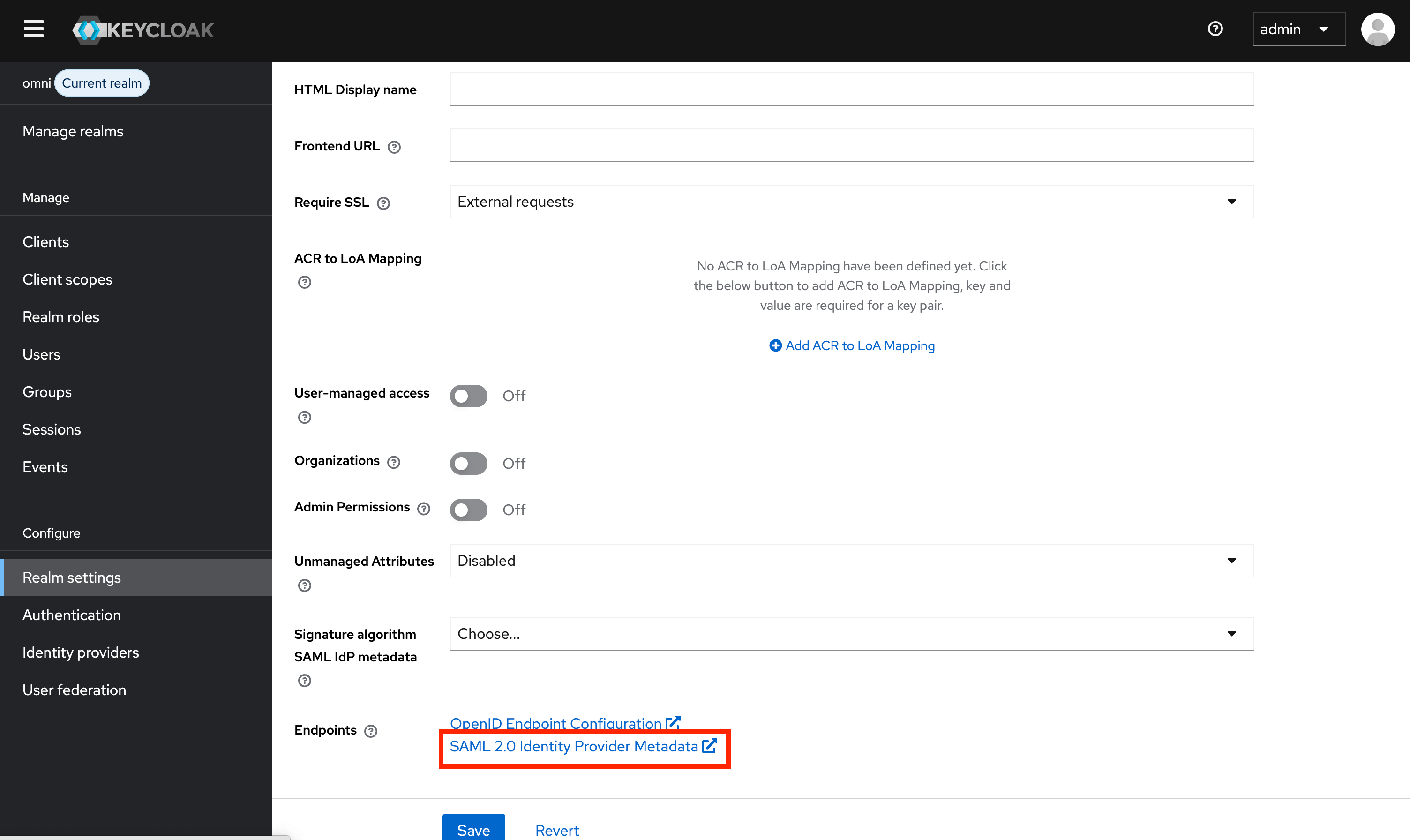
 3. Select **Realm settings** in the sidebar, and navigate to the **Endpoints > SAML 2.0 Identity Provider Metadata** Link. The link should look a lot similar to this:
```bash theme={null}
https:///realms//protocol/saml/descriptor
```
* Copy the link or save its XML data to a file. You will need this for your Omni installation.
3. Select **Realm settings** in the sidebar, and navigate to the **Endpoints > SAML 2.0 Identity Provider Metadata** Link. The link should look a lot similar to this:
```bash theme={null}
https:///realms//protocol/saml/descriptor
```
* Copy the link or save its XML data to a file. You will need this for your Omni installation.
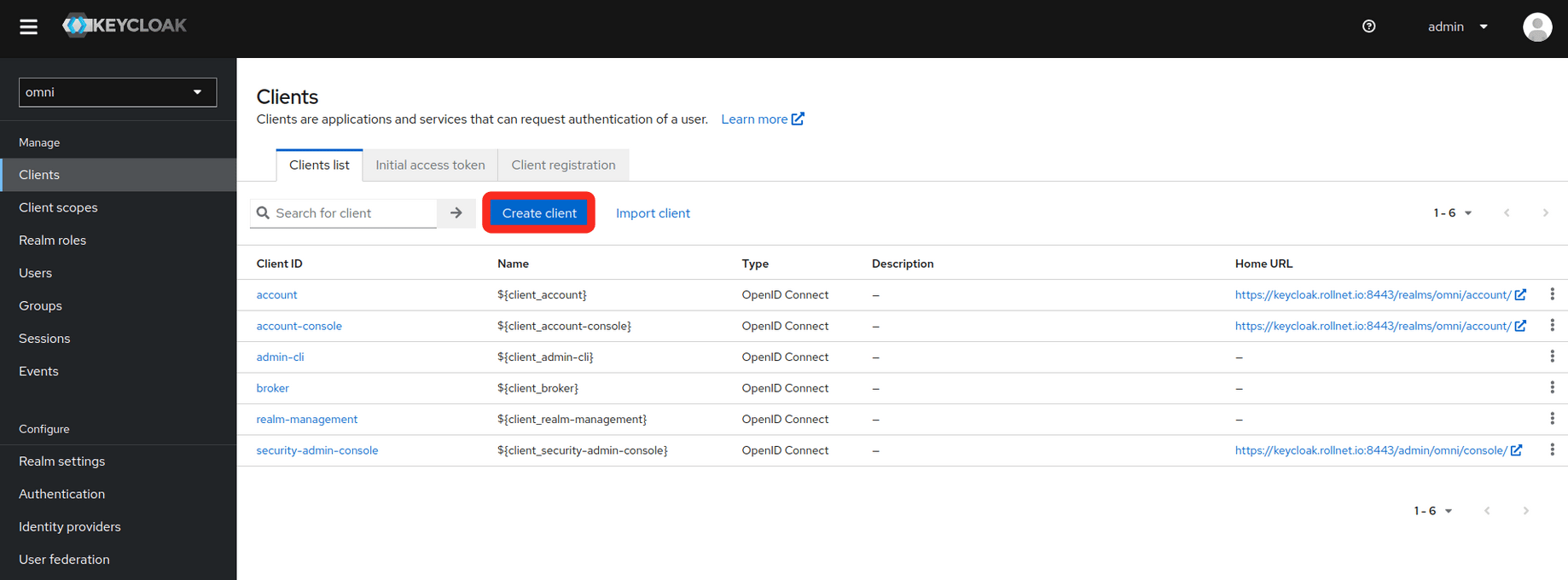
 4. Create a client
* Select the **Clients** tab on the left
4. Create a client
* Select the **Clients** tab on the left
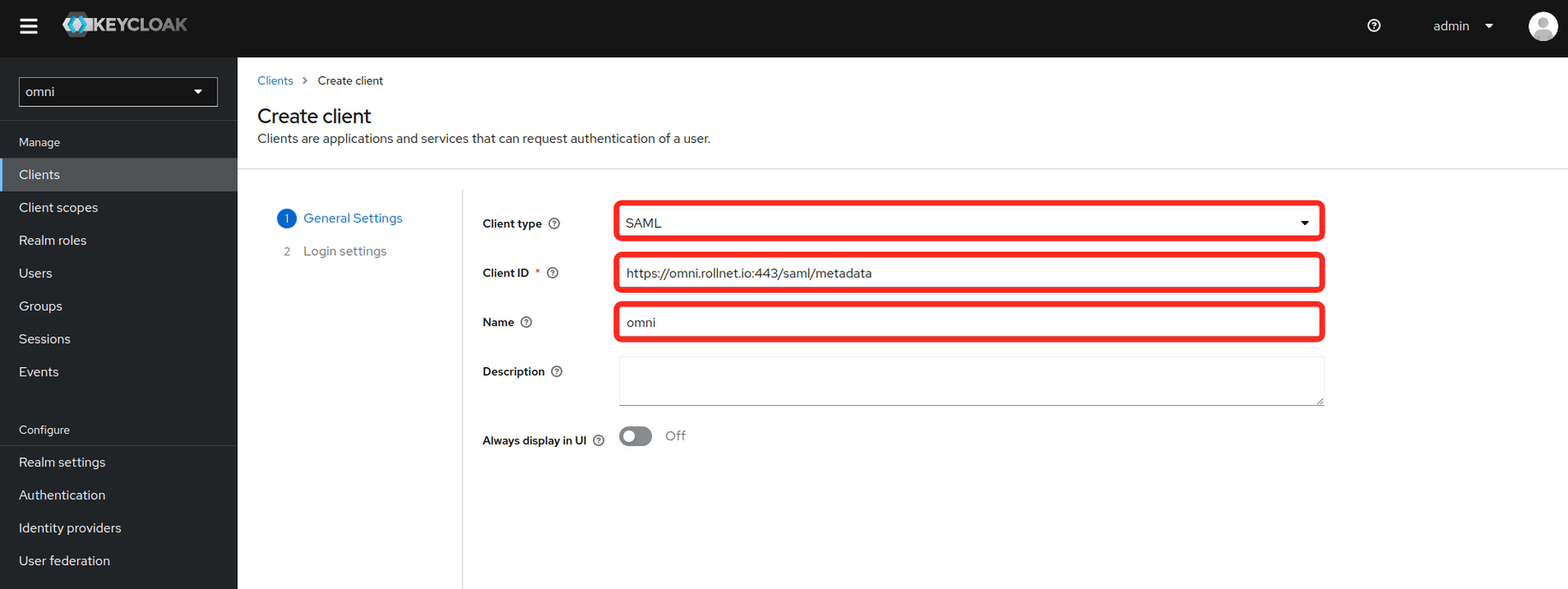
 * Fill in the **General Settings** as shown in the example below. **Replace the hostname in the example with your own Omni hostname or IP**.
* Client type
* Client ID
* Name
* Fill in the **General Settings** as shown in the example below. **Replace the hostname in the example with your own Omni hostname or IP**.
* Client type
* Client ID
* Name
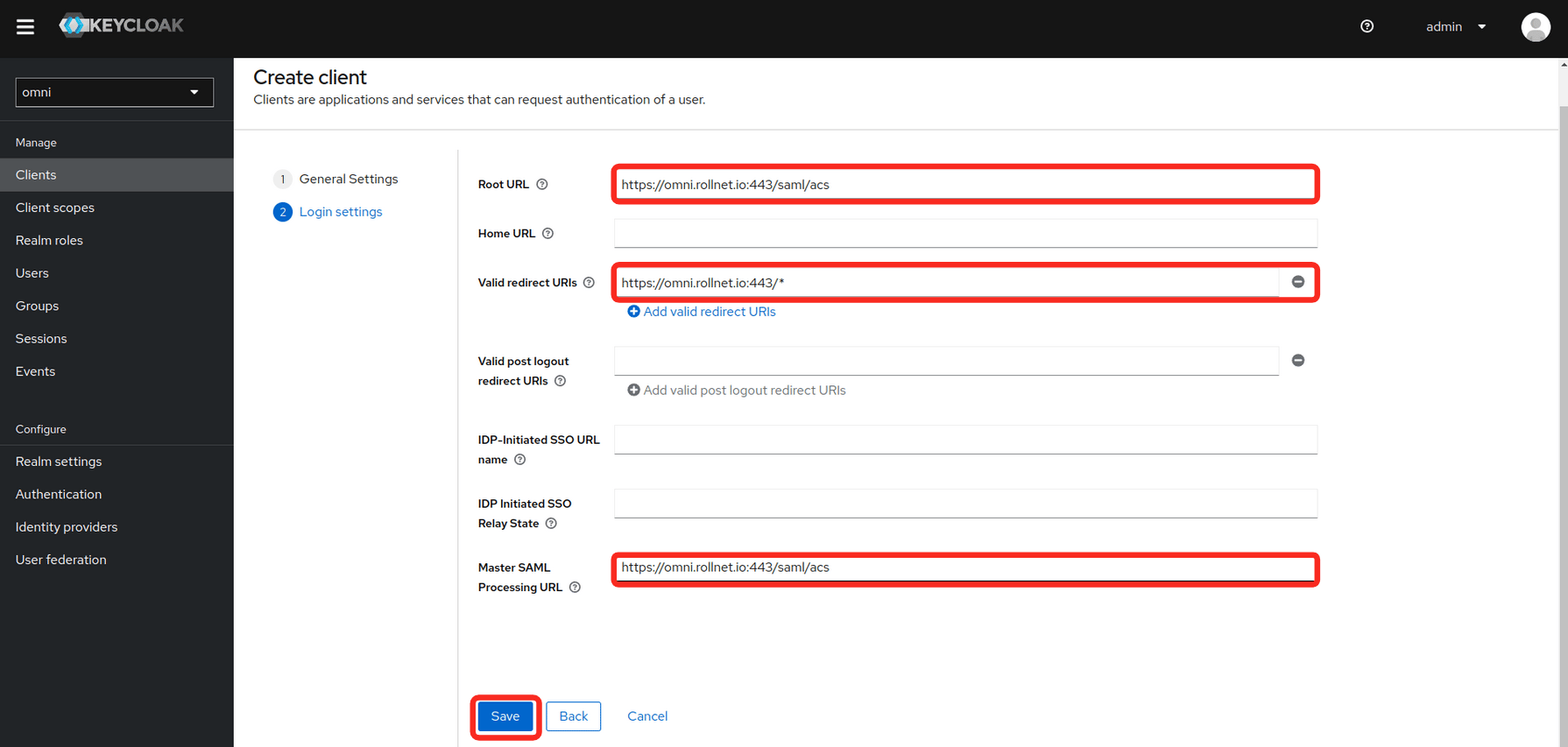
 * Fill in the **Login settings** as shown in the example below. **Replace the hostname in the example with your own Omni hostname or IP**.
* Root URL
* Valid redirect URIs
* Master SAML Processing URL
* Fill in the **Login settings** as shown in the example below. **Replace the hostname in the example with your own Omni hostname or IP**.
* Root URL
* Valid redirect URIs
* Master SAML Processing URL
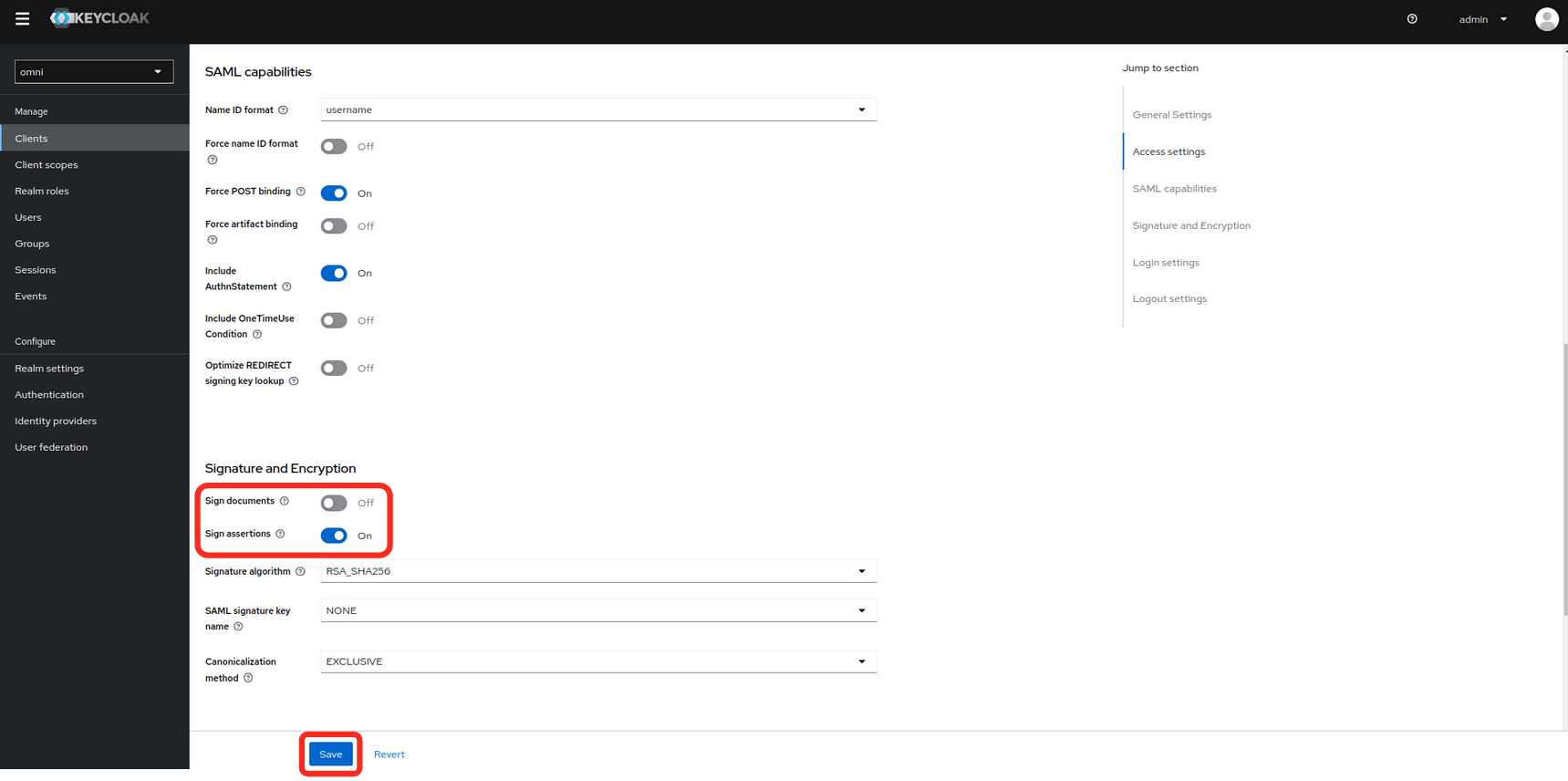
 * Modify the **Signature and Encryption** settings.
* Sign documents: **off**
* Sign assertions: **on**
* Modify the **Signature and Encryption** settings.
* Sign documents: **off**
* Sign assertions: **on**
 * Set the **Client signature required** value to **off**.
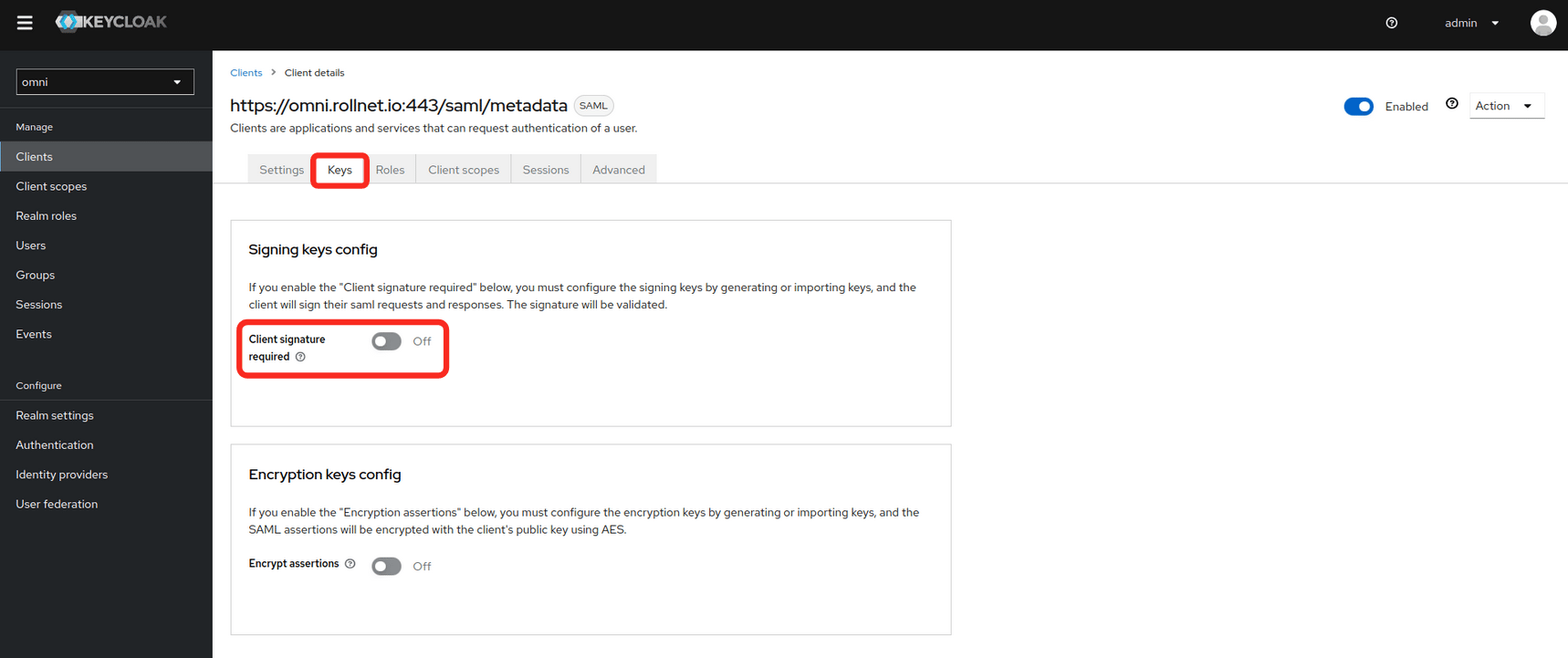 * Modify **Client Scopes**
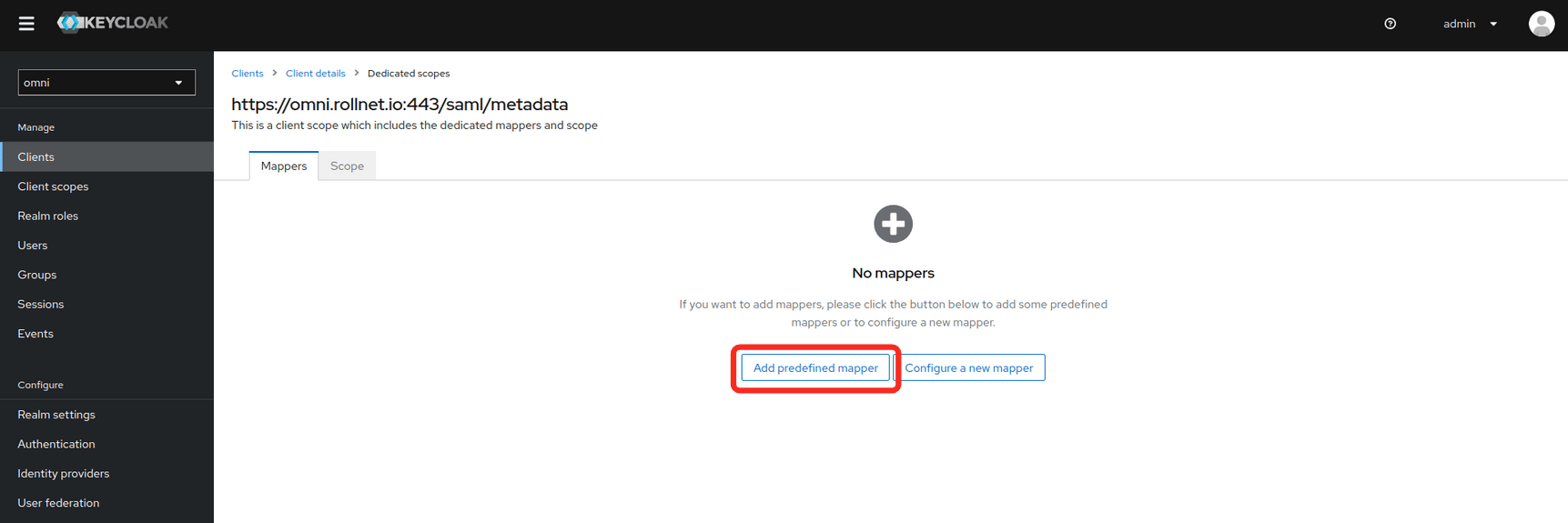
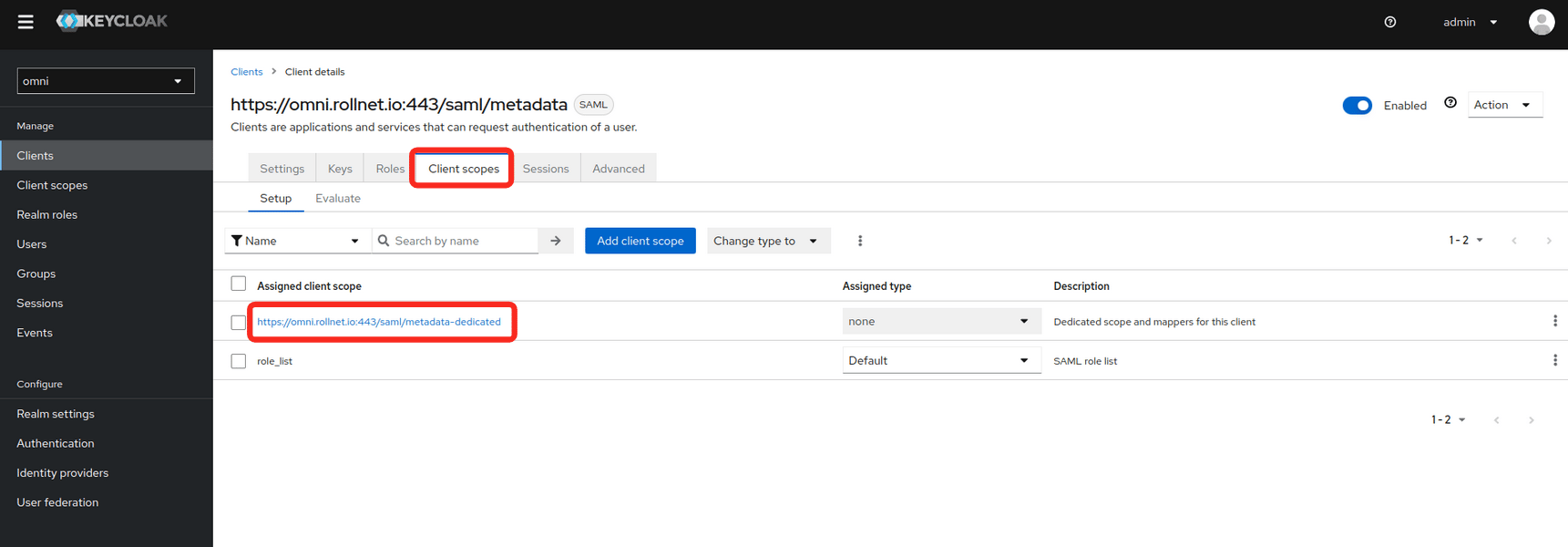 * Select **Add predefined mapper**.
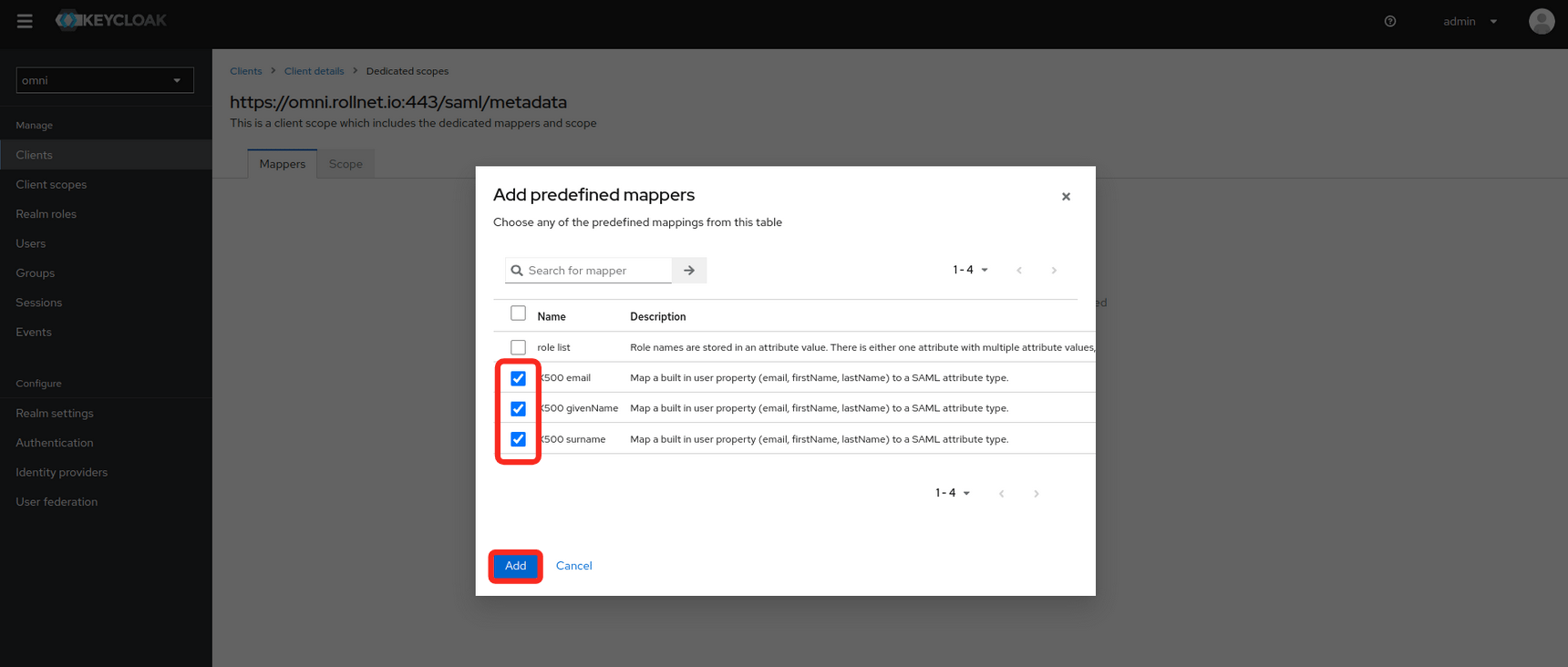
 * The following mappers need to be added because Omni will use these attributes for assigning permissions.
* X500 email
* X500 givenName
* X500 surname
* The following mappers need to be added because Omni will use these attributes for assigning permissions.
* X500 email
* X500 givenName
* X500 surname
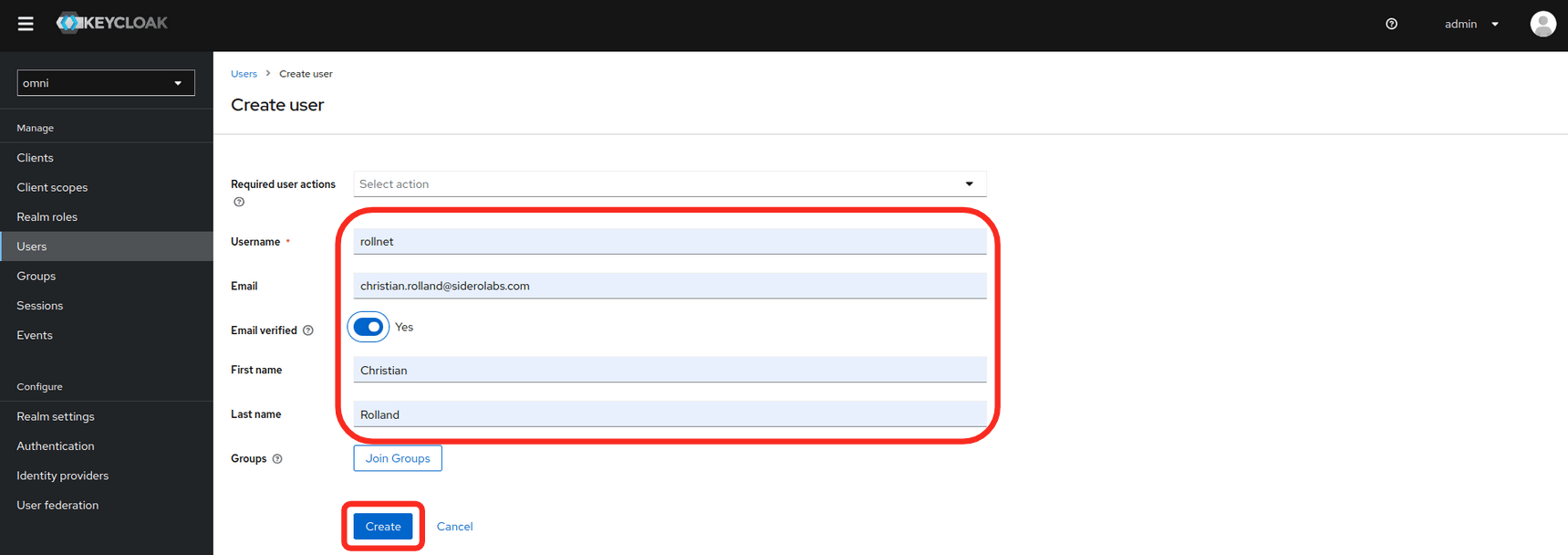
 * Add a new user (optional)
* If Keycloak is being used as an Identity Provider, users can be created here.
* Add a new user (optional)
* If Keycloak is being used as an Identity Provider, users can be created here.
![./images/configure-keycloak-for-omni-create-new-user.png]() * Enter the **user information** and set the **Email verified** to **Yes**
* Enter the **user information** and set the **Email verified** to **Yes**
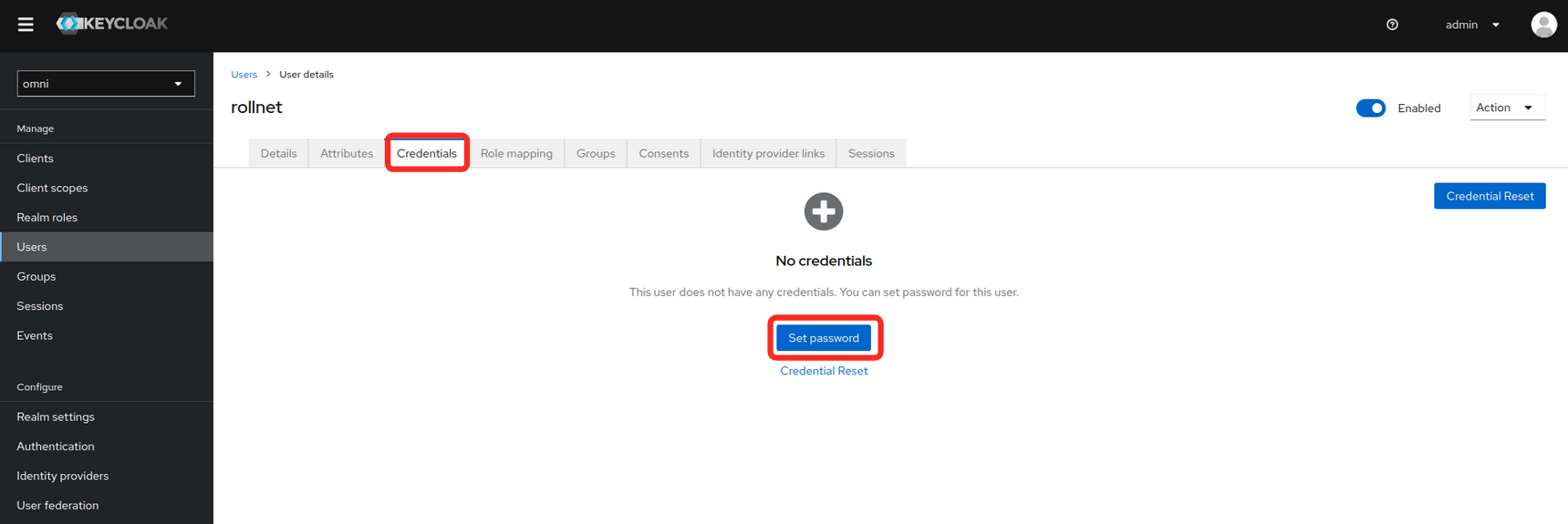
 * Set a password for the user.